Drive with Klick
See the whole number.
Then decide.
Every offer arrives with the job pay, the pickup compensation and any demand boost already added together. Nothing is deducted from it afterwards, and passing costs you nothing at all.
Neither listing is live yet — both markets are in closed pilot. Tell us where you drive and we'll send the link the day it's published there.
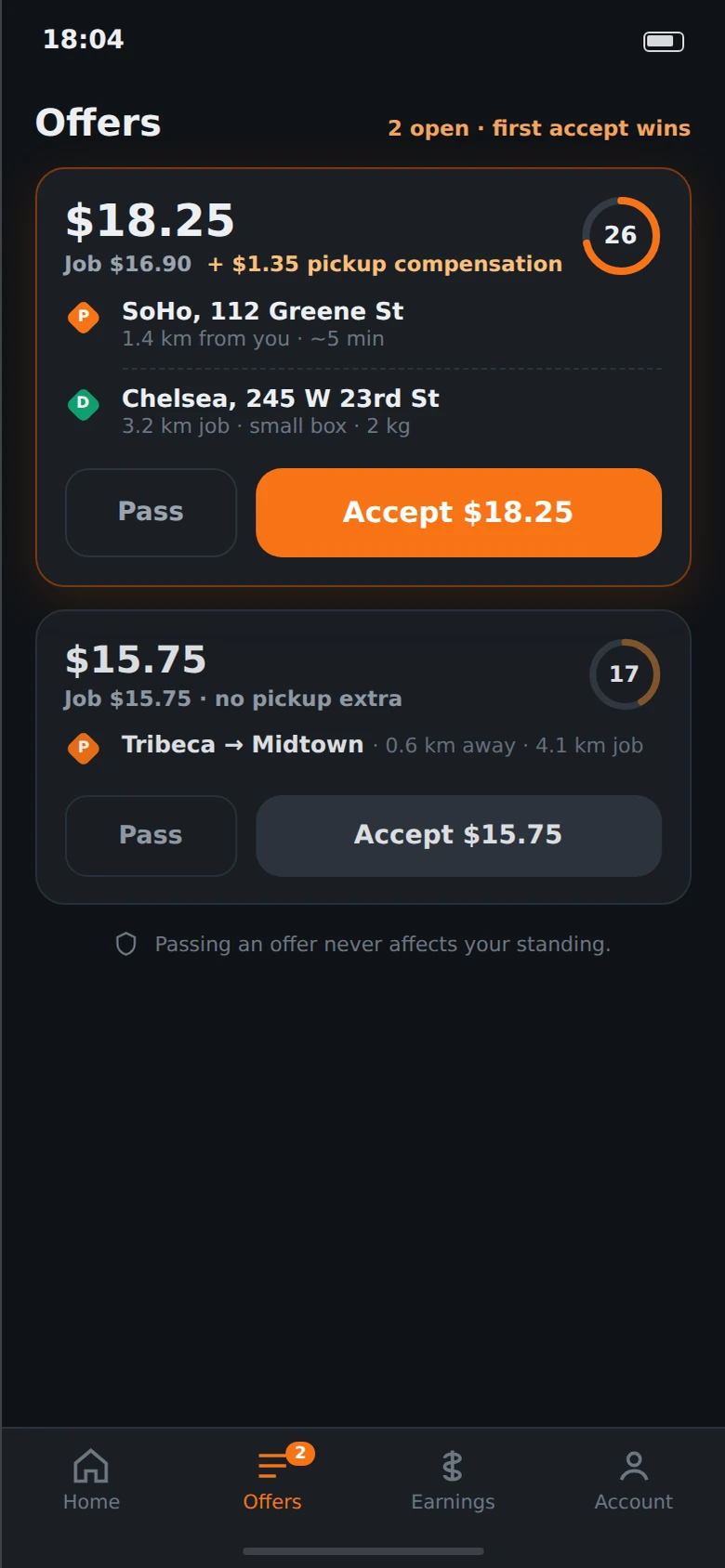
The offer
One card, and everything you need to say yes or no.
This is the whole decision. There is no second screen where the number changes, and no bonus scheme you have to reverse-engineer to work out what a job is worth.
What the job pays you, in full, at the top of the card. Not a range, not an estimate, not a multiplier to be worked out later.
The split, spelled out: base job pay, plus pickup compensation because this pickup is 1.4 km away. Extras are added to the number you see, never netted out of it afterwards.
How far you are from the pickup, and how far the job itself runs. You are deciding on the whole trip, including the part that isn't paid by the meter.
What you'd be carrying. If a job needs an age check or cash collected, that's on the card too — before you accept it, not when you arrive.
Seconds left in the wave. The same offer went to every eligible driver nearby at the same time and the first accept wins, so the clock is the queue.
What isn't on the card
A surge multiplier you have to guess at. An acceptance-rate score. A tier you can be demoted out of. None of those exist, which is why the fare needs no explaining.
How you get paid
Different for parcels and for people, because the two jobs are different.
Klick doesn't run one pay model and pretend it fits both. Here is each, stated plainly enough to argue with.
Courier
Parcels- Job pay
- Computed from the distance, the vehicle class and the package — the same policy that quoted the customer, so the split is settled before you ever see the offer.
- Pickup compensation
- A separate line when the pickup is far from where you are. It is added to the fare on the card.
- Demand boost
- When a district runs short of couriers, jobs starting there carry extra. The app shows you which district and how much before you ride over.
- Tips, in full
- Klick takes nothing from a tip. Not a percentage, not a processing cut.
- Weekly payout
- Into your bank account, every week. The earnings screen is a running display; the weekly statement is the authoritative record of what you're owed.
Rides
People- No driver-side platform fee
- The passenger pays the service fee. You receive the full displayed driver fare — there is no commission taken off the other end.
- Tips, in full
- Same rule on both services. All of it is yours.
- Costs stay itemised
- Third-party insurance, taxes, tolls and regulatory charges appear as their own lines rather than being folded into a percentage where you can't see them.
- The test we hold it to
- This proposition only means something if it raises what you actually clear per hour online, after insurance and vehicle costs. That is the number the pilot is measured on — not how many people signed up.
Where the money shows up
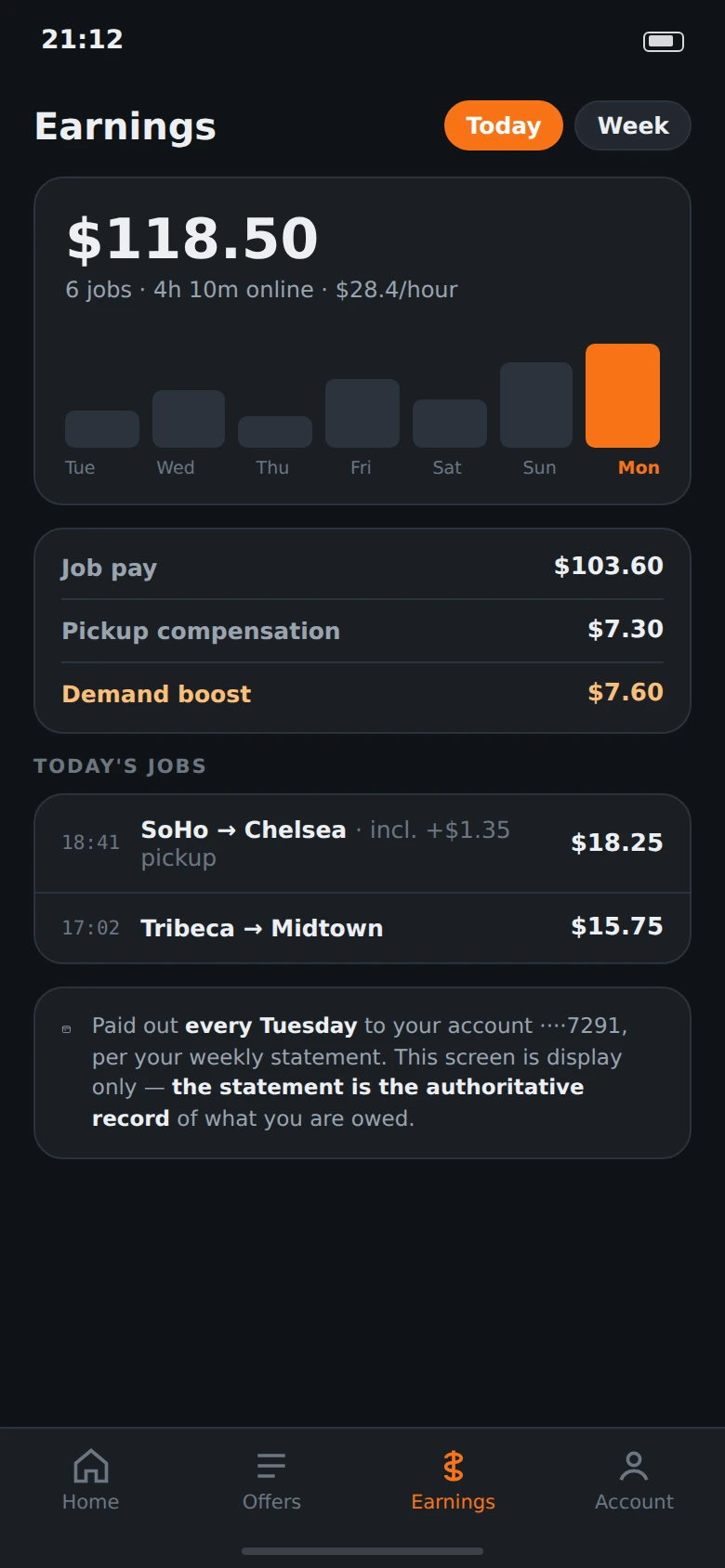
The earnings screen breaks the day into the jobs that made it — job pay, pickup compensation and boost on their own lines, each traceable to a specific delivery. Tap any total and the jobs underneath it are right there, with the time you did them.
It is a running display, and the app says so on the screen itself: the weekly statement is the record of what you are owed. Both are produced from the same completed jobs, so they cannot drift apart — and if they ever did, the statement is the one that counts.
paid weekly · itemised · no deductions after the fact
Registering
You sign up inside the app. There is nowhere else to go.
No office appointment, no paper form, no recruiter between you and the work. Four steps, and the app tells you at every point what is still outstanding.
Step one
Your phone number
One code by SMS and you're in. There is no password to lose and no username to remember — your phone is the account.
Step two
The documents your city actually asks for
The checklist is generated from your city and the service you want to run, so you are never asked for a document your market doesn't require. Photograph each one in the app; nothing has to be printed or brought anywhere.
Step three
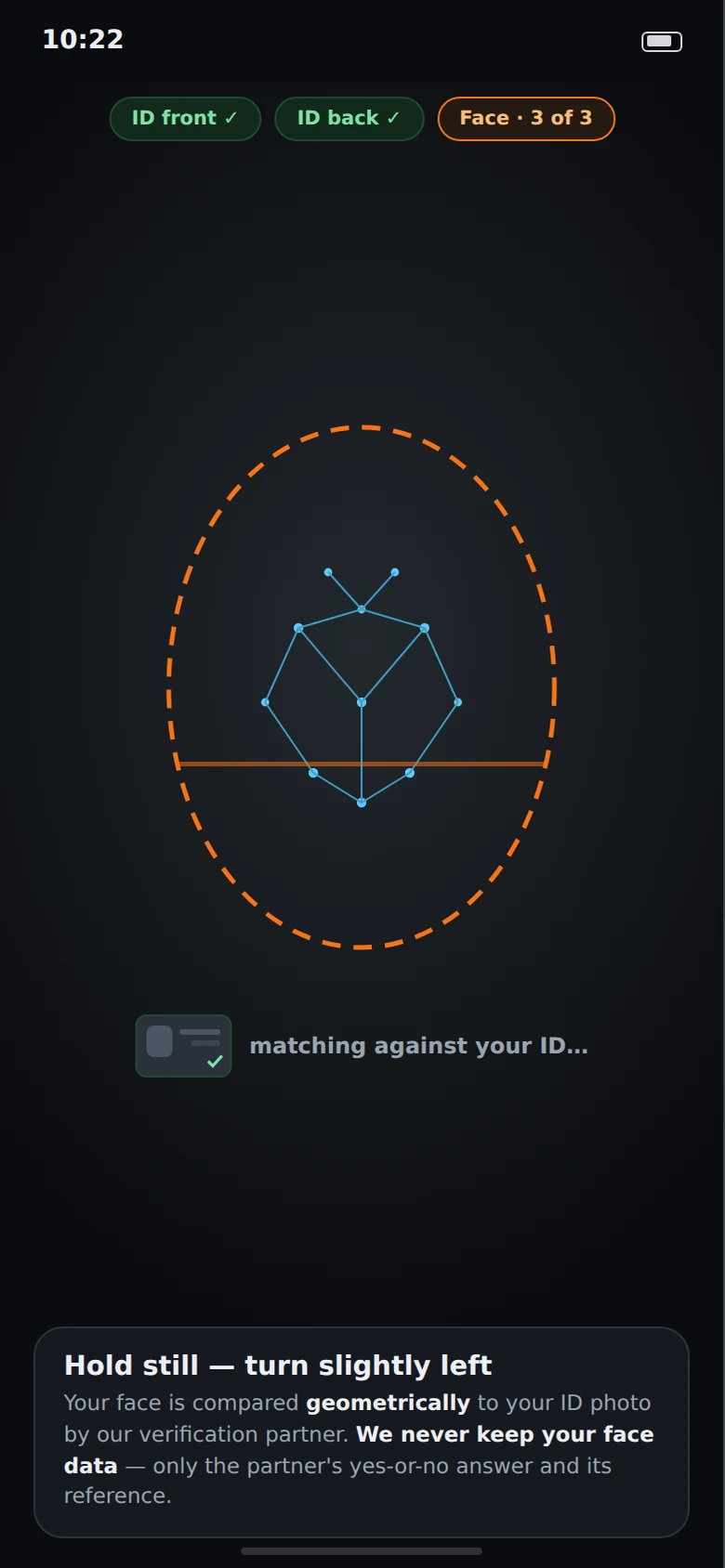
A face check against your ID
A verification partner compares the geometry of your face to the photo on your ID. Klick keeps the yes-or-no answer and the partner's reference number. Your face is not stored, here or anywhere in the platform.
Step four
Go online
When your documents are valid the service switches on. Each document carries its own clock on the account screen, and you renew from there — expiry never arrives as a surprise mid-shift.
What you need
The list is short, and your city's version is the one that counts.
These are the things every market asks for. The exact checklist is generated from your city and the service you pick, and the app shows it to you before you upload anything.
- Age
- 18 or over.
- Vehicle
- Motorcycle, car or van in working order — there are jobs for each, and the vehicle you register decides which ones you see. Which vehicles a city allows is set per city.
- Licence and permits
- A valid driving licence, plus whatever permit your city requires for the vehicle and the service you want to run. Where a local courier or private-hire permit applies, the app asks for it by name.
- Insurance
- The cover your city requires for the work you're actually doing. The app tells you which policy it's asking for.
- Phone
- A recent Android phone or iPhone with mobile data. The driver app is free and asks for no permissions it doesn't use.
- Bank account
- An account in your own name for the weekly payout. Klick does not pay in cash.
The driver app
Every screen you'd use, before you install anything.
Dark by default, because most of a shift isn't spent in daylight. These are the product's own design screens.
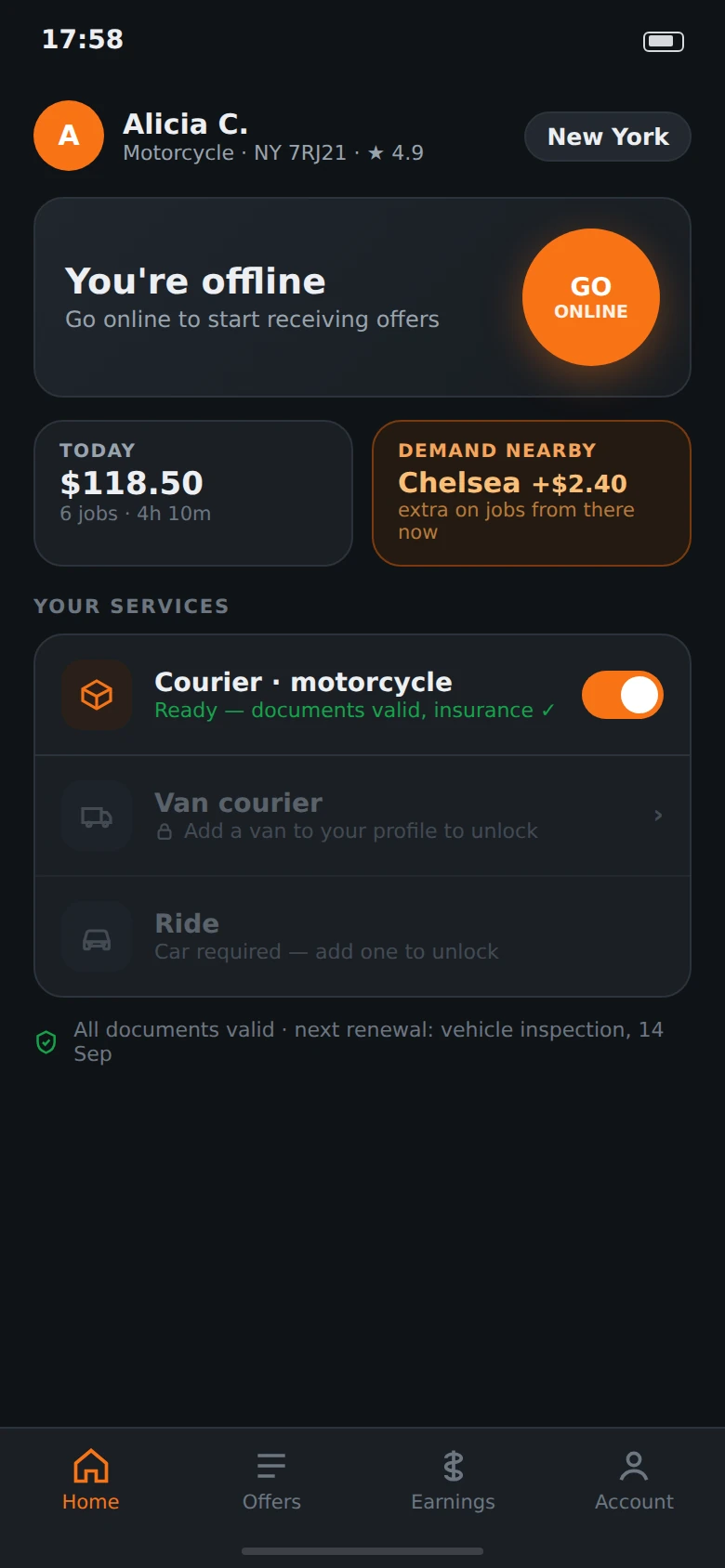
Home
Which services you can run, and why any of them are off.
Offers
The fare, its split and the clock. Pass costs nothing.
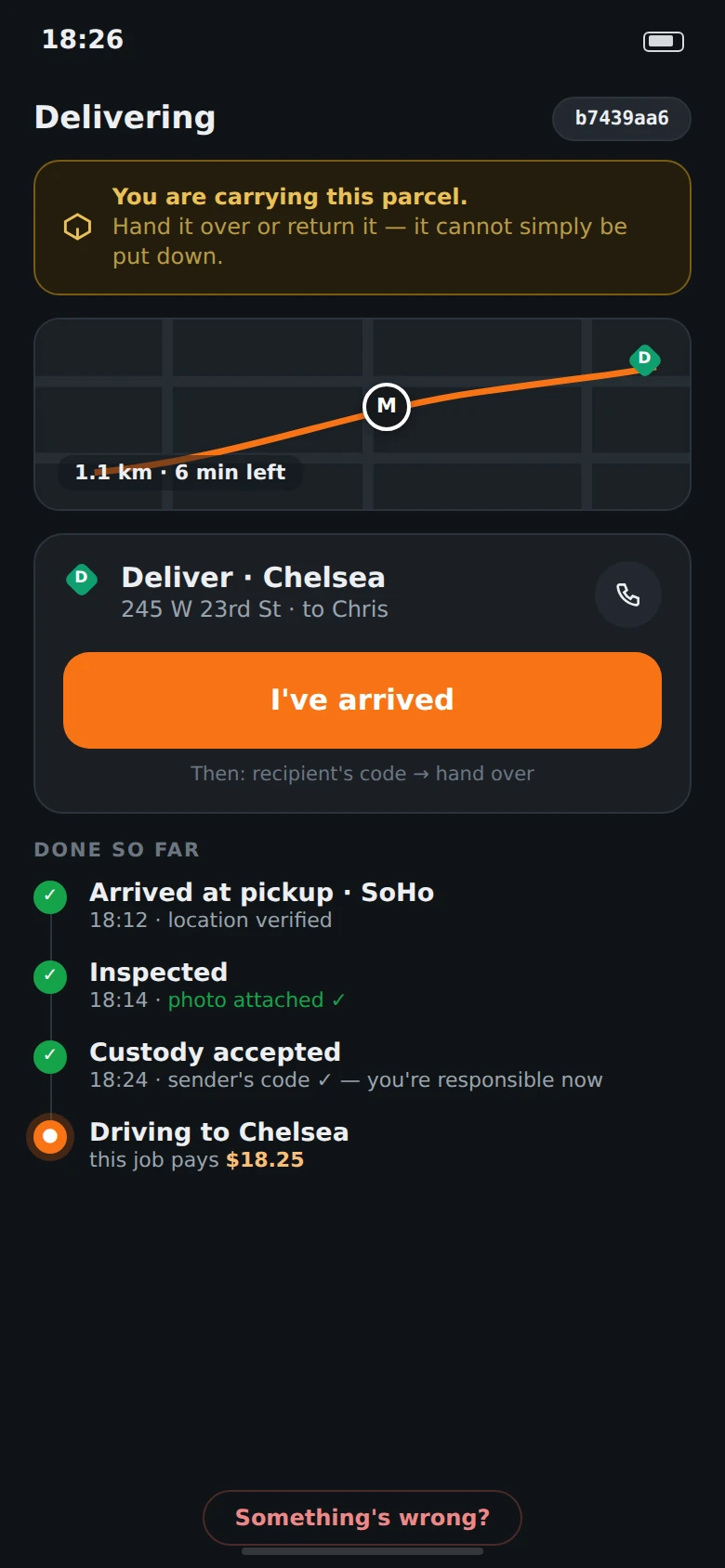
Active job
What you're carrying, what's already proven, and what's left.
Earnings
Every line traced back to a job you did.
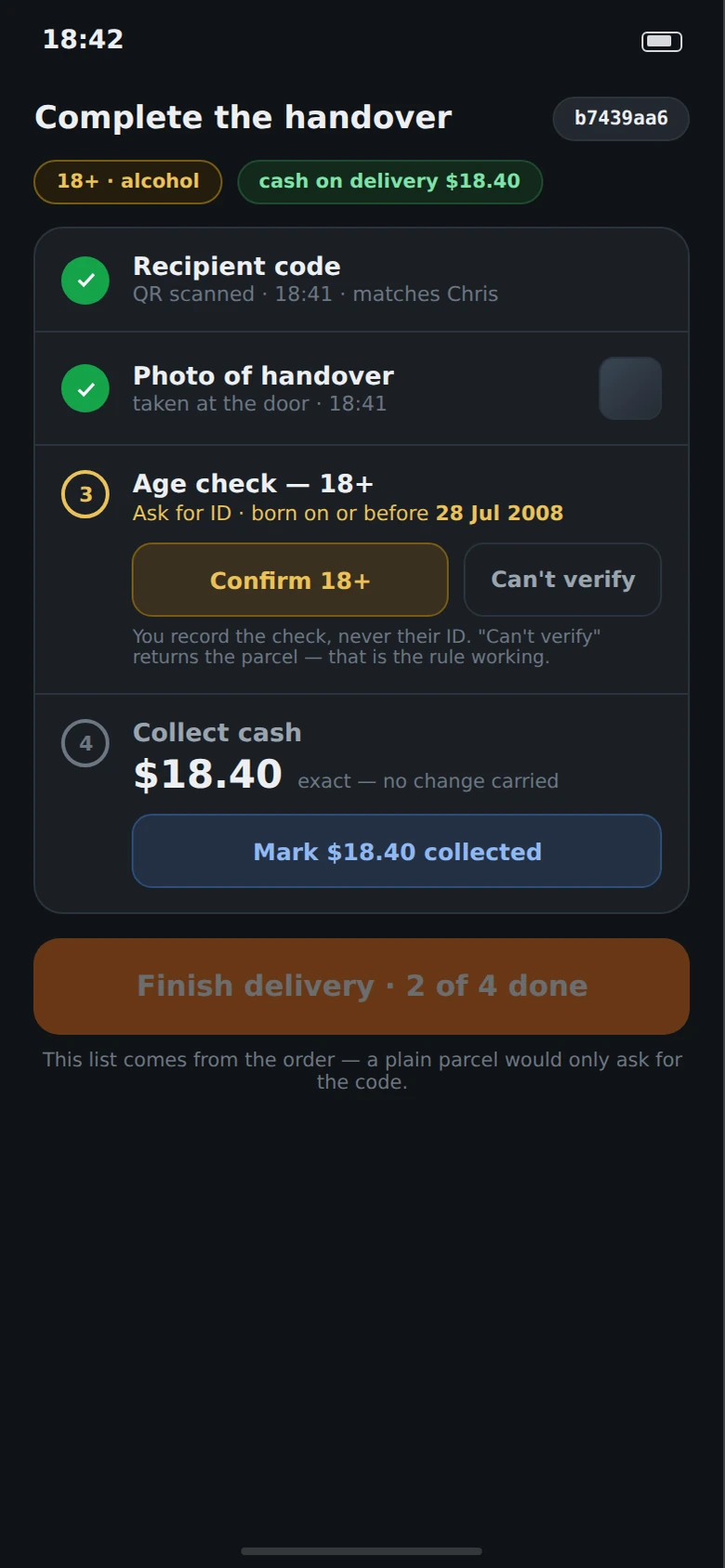
Handover
The checklist comes from the order — code, photo, age check, cash.
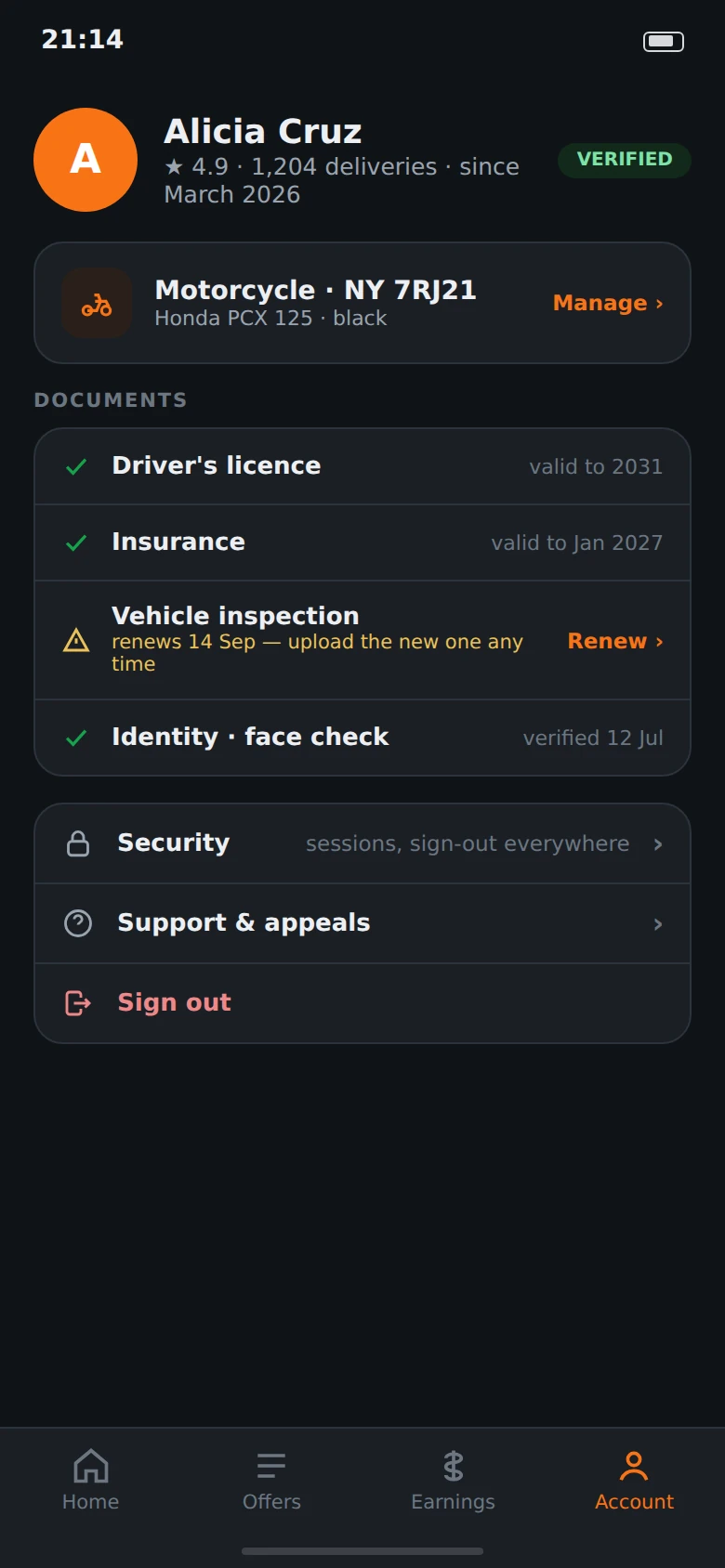
Account
Documents with their clocks, renewed before they lapse.
Identity
Face matched to your ID. Nothing biometric is kept.
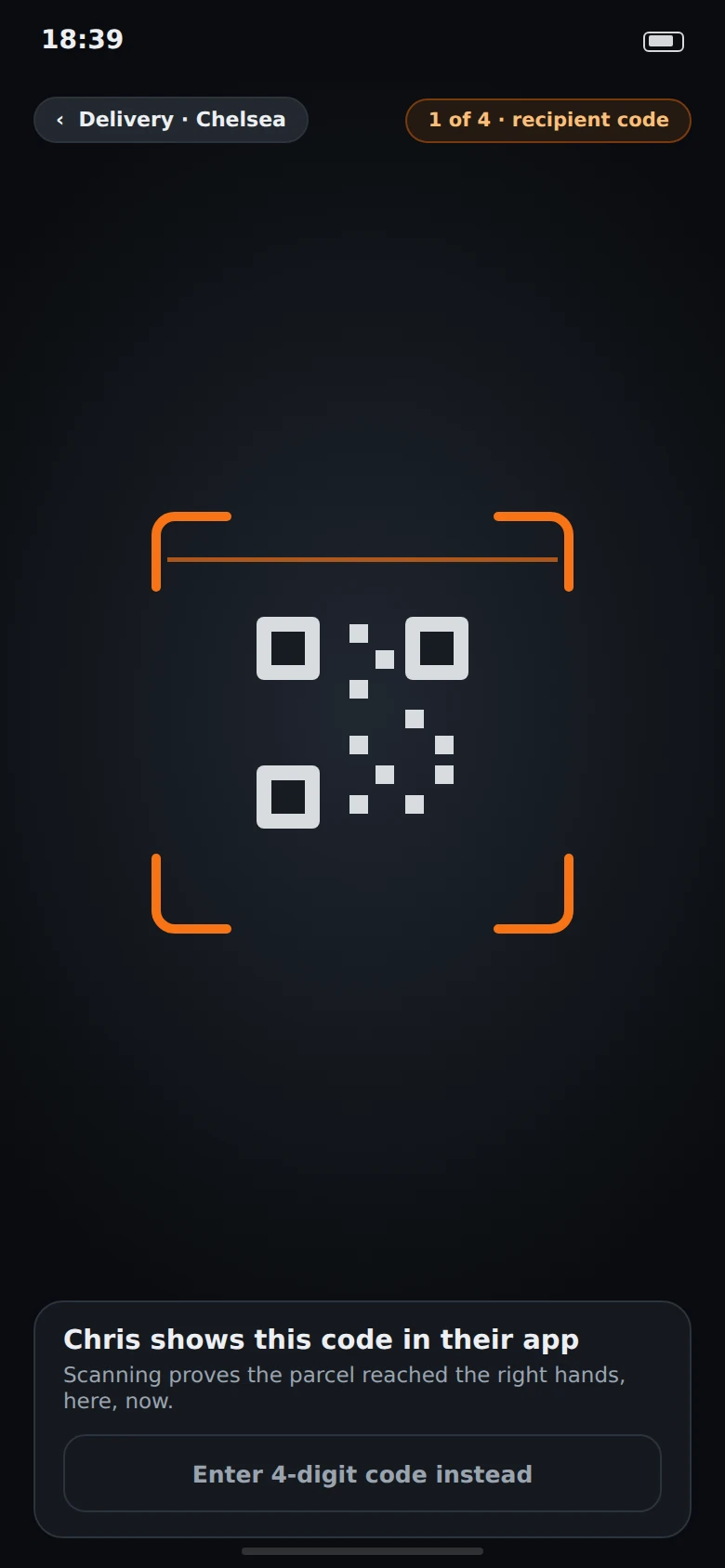
Recipient code
Proof the parcel reached the right hands, here, now.
Driver questions
Ask the awkward ones.
When can I actually download the app?
Not yet — the driver app isn't published to Google Play or the App Store, because both markets are still in closed pilot. The listings go up with the first open market. Leave your number below and we'll message you the day it's live in your city; that is the only thing we'll use it for.
Does passing offers count against me?
No. Passing never affects your standing, what you're offered next, or anything else. A job is offered to every eligible driver nearby at the same time and the first accept wins — passing just means someone else wanted it more.
Do you take anything from tips?
No, in any city. A tip goes to you in full.
What if a recipient can't prove they're 18?
You press "can't verify" and the parcel comes back with you. That is the rule working, not a failure on your part, and it doesn't count against you. What gets recorded is that you performed the check — never the recipient's ID.
What happens to my face scan?
It is compared to your ID photo by a verification partner and then it is gone. Klick receives a yes or no and a reference number for it. There is no face template, no biometric record, nothing to leak later.
Can I drive more than one vehicle?
Yes. Add the vehicle and its documents, and the services it unlocks light up on your home screen. Anything you're not eligible for stays visible but switched off, with the reason written next to it — you always know what you'd have to do to unlock it.
Something went wrong on a job. Who do I talk to?
There is a route out of every active job screen for exactly that, and appeals live in your account. A decision that goes against you is signed by a person — no part of the platform is allowed to make an adverse decision about a driver on its own.
Get the driver app
It isn't published yet. We'll send you the link the day it is.
Both markets are in closed pilot, so there is nothing to download today — and we'd rather say that than park you in front of a dead button. Tell us where you drive and what you drive; you'll get one message, for that city, when the listing goes up.
One message about the app in your city. Not a newsletter, not an application, and not shared with anyone.